
Are Residential Proxies Safe? Sourcing, Risks and Red Flags
Are residential proxies safe? Learn how IPs are sourced, what recent botnet takedowns reveal, the red flags to avoid, and questions to ask any provider.
Quick answer
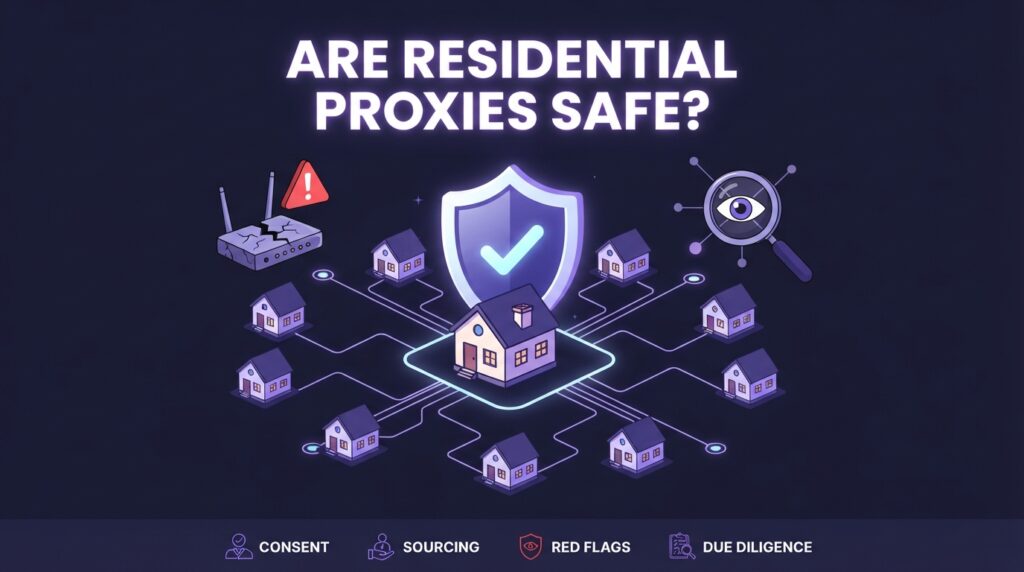
Are residential proxies safe? They can be, when the provider obtains every IP address with the device owner’s informed consent, screens its customers, and you use the service lawfully. The real risks come from how some networks are built. Law enforcement and Google have dismantled residential proxy networks that ran on hacked routers, malware-infected devices and apps that enrolled phones without telling their owners. Safety therefore depends far more on the provider you choose than on the technology itself.
Key takeaways
- Sourcing is the core safety question: every residential IP belongs to someone’s home device, so ask how that person agreed to share it.
- Abusive networks are a documented problem: the FBI, the US Department of Justice and Google have all acted against proxy networks built from compromised devices.
- Free and suspiciously cheap proxies carry the most risk: you rarely know who runs them, where the IPs came from, or what happens to your traffic.
- Buyers should run due diligence: a short list of questions separates transparent providers from risky ones.
- Device owners have risks too: apps that pay for “unused bandwidth” let strangers send traffic from your connection.
Why safety is a fair question
Residential proxies are useful precisely because they route traffic through real household connections. That same fact raises an obvious question: whose household? A datacenter proxy uses an address leased from a hosting company. A residential proxy uses an address that belongs to a person’s home internet connection, through a phone, computer, router or smart TV.
When that person knowingly agreed to share their connection and is compensated or rewarded for it, a residential network can be a legitimate service. When they did not know, the same network becomes a way to borrow strangers’ connections without permission. Recent enforcement cases show that the second model is not hypothetical.
This guide looks at safety from three angles: the business buying residential proxies, the person whose device provides the IP, and the wider internet. It is written for buyers who want to choose responsibly, and for anyone wondering whether an app on their own device is quietly part of a proxy network.
Where residential IP addresses come from
Providers do not own home internet connections. They obtain access to them in a few different ways, and each carries a different level of risk.
| Sourcing model | How it works | Consent | Risk level |
|---|---|---|---|
| Opt-in bandwidth-sharing apps | People install an app that openly shares their connection in exchange for payment or rewards | Explicit, if the terms are clear and the user can opt out easily | Lower, when disclosure is genuine |
| SDKs inside other apps | A software kit inside a free app or game turns the device into a proxy exit, usually as a monetisation method | Ranges from clear opt-in to buried in terms or none at all | Varies widely; this is where many problems start |
| ISP partnerships | Addresses are registered to internet providers but hosted on servers, often sold as ISP or static residential proxies | No household device involved | Lower for consent, but these are not true home connections |
| Malware and hacked devices | Routers, set-top boxes or computers are compromised and sold as proxy exits | None | Unacceptable, and illegal in most jurisdictions |
The difficulty for buyers is that, from the outside, all four can look the same. A proxy is a proxy: the IP works, the page loads. The only way to tell the difference is to ask the provider and judge how convincingly it answers.
What has gone wrong: documented cases
The following cases are drawn from official announcements. They show the main ways residential proxy networks have been abused.
| Case | Announced by | What happened | Lesson for buyers |
|---|---|---|---|
| 911 S5 (May 2024) | US Department of Justice and the FBI | A botnet of over 19 million IP addresses in more than 190 countries, built largely from free VPN apps with hidden proxy backdoors. Its administrator was arrested. | A huge pool and a low price can be a symptom of non-consensual sourcing. |
| 5Socks and Anyproxy (May 2025) | FBI | Services selling access to hacked end-of-life routers as proxies were seized in an operation with Dutch police. | Old, unpatched routers are a common source of illicit “residential” IPs. |
| BADBOX 2.0 (June 2025) | FBI | The FBI warned that criminals were using infected streaming boxes, projectors and other home devices for residential proxy services, some infected before purchase. | Device owners can be part of a proxy network without installing anything suspicious. |
| IPIDEA (January 2026) | Google Threat Intelligence Group | Google disrupted a large network that enrolled devices through SDKs in apps, many of which did not disclose it. Google says it saw over 550 threat groups using the network’s exit nodes in one week. | Your traffic can share exit IPs with criminal groups, and the network’s brands may change names. |
Google’s conclusion from the IPIDEA case is worth remembering. It says claims of “ethical sourcing” must be backed by “transparent, auditable proof of user consent”. That is a sensible standard for any buyer to apply.
The risks for businesses that buy residential proxies
Legal and reputational exposure
If your provider’s network runs on compromised devices, your traffic passes through computers whose owners never agreed. Even if you acted in good faith, being associated with such a network is a reputational risk, and in some situations a legal one. Procurement, legal and security teams increasingly ask how vendors source their IPs, so it pays to know the answer.
Shared reputation
Residential exit IPs are shared. If a network also serves fraudsters and attackers, its IPs are more likely to be flagged by security systems, which hurts your success rate and data quality. Providers that screen customers and enforce an acceptable use policy keep their pools cleaner for everyone.
Traffic visibility
Any proxy can see the destination of your traffic. For HTTPS connections, the content stays encrypted between you and the website, but anything sent over plain HTTP can be read or altered along the way. With an untrustworthy provider, that matters.
Free proxy risks
Free proxy lists and free VPN-style apps are the riskiest option of all. You do not know who runs them, how they make money or what they log. The 911 S5 case shows that a “free” app can be the very thing that turns users’ devices into someone else’s proxy network.
The risks for people whose devices provide the IPs
If you are on the other side, as a device owner, residential proxies carry different risks:
- Strangers’ traffic from your address: websites see their requests as coming from your home connection.
- Blocks and suspicion: if your IP is used for abuse, you may face CAPTCHAs, blocks or account checks on sites you use yourself.
- Bandwidth and performance: shared traffic uses your connection’s capacity.
- Your internet provider’s terms: some providers do not allow customers to resell or share their connection, so check your contract.
Google’s advice to consumers after its investigations is to be very wary of apps that pay for “unused bandwidth” or “sharing your internet”, to install apps only from official stores, and to keep Play Protect switched on for Android devices. The FBI recommends replacing end-of-life routers, or at least disabling remote administration and rebooting them, and avoiding devices that require security protections to be switched off.
Signs that a device may be part of a proxy network
- A cheap, unbranded streaming box or tablet that promises free content or asks you to disable security protections.
- Network activity or data usage you cannot explain, even when the device is idle.
- An app you do not remember installing, or a free app whose terms mention sharing your connection.
- A router that no longer receives updates from its manufacturer.
Red flags when choosing a provider
| Red flag | Why it matters | What a better provider does |
|---|---|---|
| No description of the sourcing model at all | Sourcing is the core risk, and a provider that cannot describe it gives you nothing to judge | Describes its sourcing model and consent standard, even if specific partners stay confidential |
| “Ethically sourced” with no detail | The phrase alone proves nothing | States what the standard requires, such as opt-in, compensation and the right to leave, and can point to independent accreditation |
| Prices far below the rest of the market | Consensual residential bandwidth costs money to obtain | Prices that reflect the real cost of sourcing |
| No acceptable use policy | Anyone can use the network for anything, which taints shared IPs | Publishes clear terms and enforces them |
| No customer screening | Attackers and fraudsters share your exit IPs | Verifies customers for higher-risk use or volumes |
| Frequent rebrands or no company details | Makes accountability difficult | A stable brand, clear legal entity and contact details |
| Marketing that promises to defeat any security | Suggests the target customers are not legitimate | Focuses on legitimate use cases and responsible collection |
Due diligence: questions to ask any residential proxy provider
Use these questions before you sign up, and keep the answers on file. A trustworthy provider should answer them without difficulty.
| Question | A reassuring answer | A worrying answer |
|---|---|---|
| How do you obtain residential IPs? | A clear description of the sourcing model and the consent standard every source must meet | No answer at all, or claims the provider cannot explain |
| Is your sourcing, or your network partner’s, independently accredited? | Yes, and the accreditation can be checked, for example on the Ethical Web Data Collection Initiative’s list of accredited providers | A badge or seal with no way to verify it |
| How do device owners give consent, and can they withdraw it? | An explicit opt-in screen and a simple way to stop sharing | Consent hidden in general terms, or no opt-out |
| Are device owners compensated or rewarded? | Yes, with a described mechanism | Unclear or no |
| Do you screen customers? | Yes, with checks proportionate to the use case | Anyone can buy anything anonymously |
| What uses are prohibited, and how do you enforce that? | A published acceptable use policy and examples of enforcement | No policy, or a policy that is never enforced |
| What do you log, and for how long? | A clear, limited logging policy | Vague or contradictory answers |
| Who is the legal entity, and where is it based? | A named company with contact details | No identifiable company |
What if a provider will not name its partners?
Many residential proxy providers obtain capacity through one or more network partners rather than running every source themselves, and they often keep those partners confidential for commercial reasons. That is normal, and it is not a red flag on its own. What matters is the standard every source must meet, whether the provider can explain it clearly, and whether that standard has been checked by someone independent. A provider that can describe its consent standard and point to verifiable accreditation is in a much better position than one that simply says “ethically sourced”.
How to use residential proxies safely
- Choose a transparent provider: run the due diligence questions above and prefer providers that answer them openly.
- Use HTTPS wherever possible: it keeps the content of your traffic encrypted between you and the website.
- Keep personal credentials out of proxies you do not trust: never log in to your own email or bank through an unknown proxy.
- Protect your proxy credentials: treat them like passwords, and see our residential proxy authentication guide for safe setups.
- Collect only what you need: stick to public data, respect site terms and rate limits, and follow privacy laws such as the GDPR when personal data is involved. Our notes on legal and ethical web scraping cover the basics.
- Avoid free proxies for anything that matters: the savings are rarely worth the unknowns.
- Review your provider periodically: ownership, sourcing and policies can change.
Are residential proxies legal?
In most countries, using a residential proxy service is legal. What matters is how the network was built and what you do with it. A network built on hacked or unknowingly enrolled devices is the problem, not the concept of routing traffic through a residential IP. Likewise, using any proxy for fraud, account takeover or other illegal activity is illegal whether or not a proxy is involved.
Laws differ by country and change over time, so take legal advice if your use case is sensitive. For a broader comparison of privacy tools, see proxy vs VPN.
Where QuickProxy stands
QuickProxy’s residential IPs come through an established network partner. That partner’s sourcing standard requires that the people whose connections carry traffic have opted in, are compensated and can leave whenever they choose, and it states that no IPs are taken from bundled software or from people who do not know they are part of a network. The partner’s sourcing is independently accredited. Like many providers, we keep the names of our network partners confidential for commercial reasons.
QuickProxy supports legitimate uses such as public web data collection, ad verification, brand protection, market research and SEO monitoring, and our terms and conditions set out what customers may and may not do with the service. If you are evaluating QuickProxy for your team, contact us with your questions about our sourcing standard and acceptable use. When you are ready, the residential proxies page explains the features and the pricing page lists the plans.
FAQ
Are residential proxies safe to use?
They are safe when the provider sources IPs with informed consent, screens its customers and enforces an acceptable use policy, and when you use the service lawfully over encrypted connections. Free and unexplained networks carry the most risk.
How do residential proxy providers get their IP addresses?
Mainly through apps that share a device’s connection, either openly in exchange for rewards or through SDKs inside other apps. Some networks have also been built from hacked routers and infected devices, which law enforcement has acted against.
What does “ethically sourced” mean for residential proxies?
It should mean that every device owner knowingly agreed to share their connection, can withdraw at any time, and is fairly rewarded. Google’s threat intelligence team says such claims need transparent, auditable proof of consent.
Can a residential proxy provider see my traffic?
A provider can see where your traffic goes. With HTTPS, the content stays encrypted between you and the website. Anything sent over plain HTTP could be read, so avoid unencrypted connections through any proxy.
Are free residential proxies safe?
Generally not. You cannot verify who runs them, how they obtained their IPs or what they do with your data. Some “free” apps have turned out to be the source of criminal proxy networks.
How can I tell if my device is part of a proxy network?
Watch for unexplained network activity, unfamiliar apps, cheap streaming devices that ask you to disable security, and routers that no longer get updates. Remove suspicious apps, keep devices updated and replace unsupported routers.
Is it legal to use residential proxies?
In most countries, yes, for legitimate purposes such as research, ad verification and public data collection. Illegal activity stays illegal with or without a proxy, and networks built on compromised devices are a legal problem for their operators.
Conclusion
Residential proxies are as safe as the network behind them. The technology is legitimate and widely used, but documented cases show that some networks were built on hacked routers, infected devices and apps that never told their users. Buyers protect themselves, their data and the people behind the IPs by asking how a provider sources its addresses, screens its customers and enforces its rules.
Ask those questions of every provider. To learn how QuickProxy meets them, get in touch and explore QuickProxy residential proxies for responsible data collection, monitoring and testing.
Related reading
Put the article into practice.
Spin up real residential IPs in 150+ countries. Pay once or subscribe — from $11.