
Python Requests with Residential Proxies: Complete Setup Guide
Set up Python Requests with residential proxies: proxy dict, country targeting, sessions, retries, SOCKS5, error fixes and a production-ready code template.
Quick answer
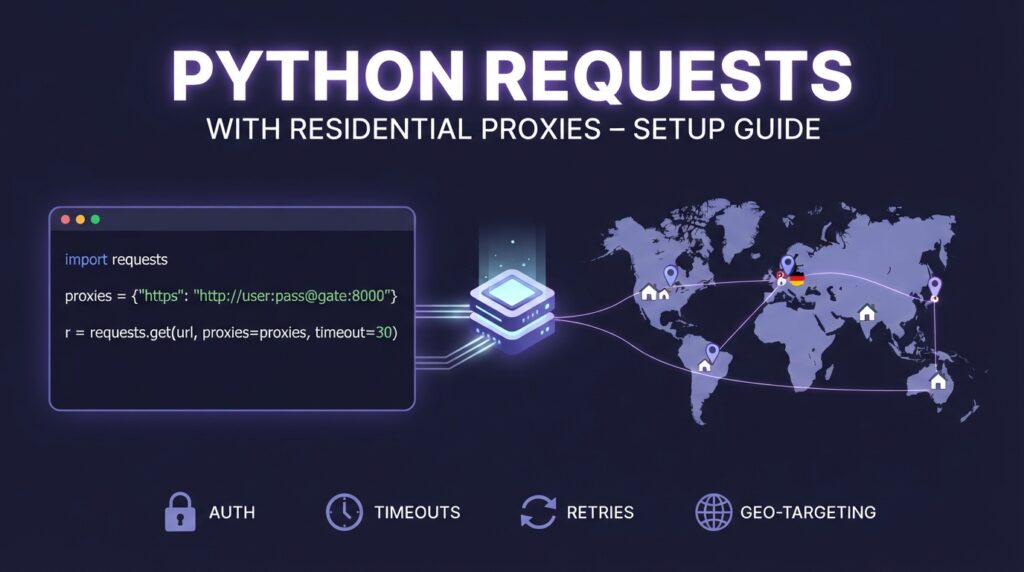
To use a proxy with Python Requests, pass a proxies dictionary that maps http and https to your proxy URL, for example http://user:pass@host:port. With residential proxies you usually also choose a country through the username, reuse a requests.Session for efficiency, set timeouts and retries, and URL-encode passwords that contain special characters. This guide covers each step, from a one-line test to a production-ready template.
Key takeaways
- One dictionary does the job: the same proxy URL works for both
httpandhttpskeys, because HTTPS traffic is tunnelled through the proxy. - Location lives in the username: with Quick Proxy,
username-cc-deroutes through Germany. - Sessions change rotation behaviour: reused connections can keep the same exit IP, so test how your gateway rotates before relying on it.
- Timeouts and retries are not optional: residential IPs vary in speed, so production code needs both.
- Responsible use matters: collect only public data, at a considerate pace, within each site’s terms.
Why use residential proxies with Python Requests?
Requests is the most popular HTTP library in Python, and it’s often the first tool developers reach for when they need data from the web: prices, search results, product availability or their own site’s behaviour in other countries. Two problems appear quickly:
- Location: many websites show different content, prices and languages by country. Requests from your server show only one version.
- Rate limits: many requests from one IP address look automated and get slowed down, challenged or blocked, even when the data is public.
Residential proxies address both. Requests leave from IP addresses of real home connections in the location you choose, and a rotating pool spreads requests across many addresses. Datacenter proxies are faster and cheaper, but they’re easier for websites to recognise, so residential IPs are usually the better fit for location-sensitive or well-protected targets.
What you need
- Python 3.8 or later, and Requests installed:
pip install requests. - Your proxy details. For Quick Proxy, the gateway is
gate.quickproxy.ioon port8000, with your username and password from the dashboard. - Optionally, for SOCKS5:
pip install "requests[socks]".
Keep credentials out of your code. The examples below read them from environment variables:
# macOS / Linux
export QP_USER="your-username"
export QP_PASS="your-password"

# Windows PowerShell
$env:QP_USER = "your-username"
$env:QP_PASS = "your-password"
Step 1: Your first request through a proxy
import os
import requests

user = os.environ["QP_USER"]
password = os.environ["QP_PASS"]
gateway = "gate.quickproxy.io:8000"

proxy_url = f"http://{user}:{password}@{gateway}"
proxies = {"http": proxy_url, "https": proxy_url}

response = requests.get("https://httpbin.org/ip", proxies=proxies, timeout=30)
print(response.status_code, response.json())
If it works, the IP printed is the proxy’s, not yours. Run the same request without proxies= to compare.
A common question: why does the https key point to an http:// URL? The scheme in the proxy URL describes how your code talks to the proxy. For HTTPS websites, Requests asks the proxy to open a tunnel (the CONNECT method), and the encrypted connection to the website passes through it. The proxy can’t read the page content, and your data stays encrypted end to end.
Step 2: Choose the country
With Quick Proxy, you select the exit country by adding a country code to your username:
def proxy_for(country: str) -> dict:
    user = f'{os.environ["QP_USER"]}-cc-{country.lower()}'
    url = f'http://{user}:{os.environ["QP_PASS"]}@gate.quickproxy.io:8000'
    return {"http": url, "https": url}

for country in ["us", "de", "jp"]:
    r = requests.get("https://httpbin.org/ip", proxies=proxy_for(country), timeout=30)
    print(country, r.json()["origin"])
Check the available countries on the locations page. To confirm an IP’s country, compare it with an IP geolocation service. For more on usernames and authentication options, see the residential proxy authentication guide.
Match the rest of the request to the country too. Many sites use the Accept-Language header to choose the language, so a German IP with an English header can produce mixed results:
headers = {"Accept-Language": "de-DE,de;q=0.9,en;q=0.5"}Step 3: Handle special characters in passwords
If your password contains characters such as @, :, / or #, they break the proxy URL. Encode them first:
from urllib.parse import quote

safe_password = quote(os.environ["QP_PASS"], safe="")
proxy_url = f'http://{os.environ["QP_USER"]}:{safe_password}@gate.quickproxy.io:8000'
A 407 Proxy Authentication Required error with credentials you know are correct is often caused by an unencoded special character.
Ways to configure a proxy in Requests
| Method | How | Best for | Watch out for |
|---|---|---|---|
| Per request | requests.get(url, proxies=proxies) |
Quick tests, mixing proxied and direct calls | Easy to forget on one call |
| On a Session | s = requests.Session(); s.proxies.update(proxies) |
Scripts making many requests | Environment variables can override Session.proxies unless trust_env is off |
| Environment variables | HTTP_PROXY, HTTPS_PROXY, NO_PROXY |
Proxying an existing tool without changing code | Applies to everything that reads them; check NO_PROXY for internal hosts |
| SOCKS5 | socks5h://user:pass@host:port |
Non-HTTP traffic, or when DNS should resolve at the proxy | Needs requests[socks]; use socks5h, not socks5, for remote DNS |
Step 4: Use a Session, and understand what it does to rotation
A requests.Session keeps connections open and reuses them. That makes scripts faster and lighter on the proxy, but it has a side effect: if your gateway assigns an exit IP per connection, several requests on the same reused connection may leave from the same IP.
Don’t assume; measure. This loop shows how your setup rotates:
s = requests.Session()
s.proxies.update(proxy_for("us"))

seen = []
for _ in range(5):
    seen.append(s.get("https://httpbin.org/ip", timeout=30).json()["origin"])
print("with session:", seen)

fresh = [requests.get("https://httpbin.org/ip", proxies=proxy_for("us"),
                      timeout=30).json()["origin"] for _ in range(5)]
print("new connection each time:", fresh)
Use the result to choose your approach:
- Need a new IP for every page? Use separate requests, or close the session between requests if your gateway rotates per connection.
- Need the same IP for a multi-step flow, such as paging through results or a login? Use a sticky session. Quick Proxy supports sticky sessions of up to 30 minutes, selected with a session token in the username. Copy the exact format from your dashboard. See rotating, sticky and static sessions for when to use each.
Step 5: Add timeouts and retries
Residential connections vary in speed, and any network call can fail. Production code should always set a timeout, and retry sensibly:
from requests.adapters import HTTPAdapter
from urllib3.util.retry import Retry

retry = Retry(
    total=3,
    backoff_factor=1,                       # waits 0s, 2s, 4s between attempts
    status_forcelist=[429, 500, 502, 503, 504],
    allowed_methods=["GET", "HEAD"],
    respect_retry_after_header=True,
)
adapter = HTTPAdapter(max_retries=retry, pool_maxsize=10)

s = requests.Session()
s.mount("http://", adapter)
s.mount("https://", adapter)

r = s.get("https://example.com/", proxies=proxy_for("gb"), timeout=(10, 30))
The timeout tuple means 10 seconds to connect and 30 seconds to read. Respecting Retry-After matters: a 429 response is the website asking you to slow down.
Step 6: SOCKS5 (optional)
HTTP proxies cover almost all web scraping. If you need SOCKS5, install the extra and change the scheme:
# pip install "requests[socks]"
url = f'socks5h://{os.environ["QP_USER"]}-cc-fr:{os.environ["QP_PASS"]}@gate.quickproxy.io:8000'
r = requests.get("https://httpbin.org/ip", proxies={"http": url, "https": url}, timeout=30)
The h in socks5h makes DNS lookups happen at the proxy, so the website’s address is resolved in the proxy’s location and your own DNS isn’t used. SOCKS5 doesn’t add encryption; HTTPS still provides that.
Requests or another Python tool?
Requests is synchronous and simple, which makes it a good default for scripts, cron jobs and moderate volumes. As a project grows, you may want a different tool. The good news is that the proxy settings stay the same: the gateway, port, username with country code and password carry over unchanged. Only the place you put them differs.
| Tool | Where the proxy goes | Choose it when |
|---|---|---|
| Requests | proxies={"http": url, "https": url} |
Simple scripts and moderate volumes of static pages |
| HTTPX | httpx.Client(proxy=url) in recent versions |
You want a Requests-like API with optional async support and HTTP/2 |
| aiohttp | session.get(target, proxy=url) |
Many concurrent requests in an asyncio application |
| Scrapy | request.meta["proxy"] = url, or the built-in proxy middleware |
Large crawls with pipelines, throttling and retries built in |
| Playwright | launch(proxy={"server": ..., "username": ..., "password": ...}) |
Pages that build their content with JavaScript, or flows that need a real browser |
Check each library’s documentation for your installed version, because argument names occasionally change between releases. HTTPX, for example, moved from a proxies argument to proxy. Whichever tool you choose, the same principles apply: set timeouts, retry carefully, keep location signals consistent, and test how your gateway rotates before you design around it.
A practical path many teams follow is to start with Requests while they learn a target website, move to Scrapy or an async client when volume grows, and use Playwright only for the pages that genuinely need a browser, because browsers use far more bandwidth and memory per page than plain HTTP requests.
A production-ready template
This puts the pieces together: environment-based credentials, password encoding, country selection, retries, timeouts, polite pacing and clear logging.
import os, random, time, logging
from urllib.parse import quote
import requests
from requests.adapters import HTTPAdapter
from urllib3.util.retry import Retry

logging.basicConfig(level=logging.INFO, format="%(asctime)s %(message)s")
GATEWAY = "gate.quickproxy.io:8000"

def make_session(country: str) -> requests.Session:
    user = f'{os.environ["QP_USER"]}-cc-{country.lower()}'
    pwd = quote(os.environ["QP_PASS"], safe="")
    url = f"http://{user}:{pwd}@{GATEWAY}"

    retry = Retry(total=3, backoff_factor=1,
                  status_forcelist=[429, 500, 502, 503, 504],
                  allowed_methods=["GET", "HEAD"],
                  respect_retry_after_header=True)
    s = requests.Session()
    s.trust_env = False                      # ignore stray HTTP_PROXY variables
    s.proxies.update({"http": url, "https": url})
    s.mount("https://", HTTPAdapter(max_retries=retry))
    s.mount("http://", HTTPAdapter(max_retries=retry))
    s.headers.update({
        "User-Agent": "Mozilla/5.0 (Windows NT 10.0; Win64; x64) "
                      "AppleWebKit/537.36 (KHTML, like Gecko) Chrome/130.0 Safari/537.36",
        "Accept-Language": "en-US,en;q=0.9",
    })
    return s

def fetch(s: requests.Session, url: str):
    try:
        r = s.get(url, timeout=(10, 30))
        logging.info("%s %s %d bytes", r.status_code, url, len(r.content))
        return r if r.ok else None
    except requests.RequestException as e:
        logging.warning("failed %s: %s", url, e)
        return None

if __name__ == "__main__":
    session = make_session("us")
    for page in ["https://example.com/", "https://example.com/about"]:
        fetch(session, page)
        time.sleep(random.uniform(2, 5))     # be a considerate visitor
To process many URLs faster, run several sessions in parallel with a thread pool, but raise concurrency gradually and watch error rates. See concurrent connections with proxies for a worked example.
Errors and how to fix them
| Error or symptom | Likely cause | Fix |
|---|---|---|
ProxyError with 407 |
Wrong username or password, or unencoded special characters | Check credentials; URL-encode the password with quote() |
ConnectTimeout or ProxyError (cannot connect) |
Wrong host or port, firewall blocking outbound port 8000, or no bandwidth left | Check gate.quickproxy.io:8000; test with curl; check your plan |
ReadTimeout |
Slow target or slow residential connection | Increase the read timeout; retry on a fresh connection; pick a closer location |
| Same IP every time | Connection reuse in a Session, or a sticky session | Test with the loop in step 4; use new connections for per-request rotation |
| Wrong country | Country code missing or mistyped in the username | Check the -cc-xx part; print httpbin.org/ip and geolocate it |
| 403 or a CAPTCHA page from the website | Request rate, headers or the target’s protection | Slow down; send realistic headers; check whether the site allows automated access |
| 429 Too Many Requests | You’re exceeding the site’s rate limit | Respect Retry-After; reduce concurrency; add delays |
SSLError |
Corporate inspection proxy, or an outdated CA bundle | Update certifi; never disable verification in production |
More troubleshooting: the 10 most common proxy errors. To test the proxy outside Python, use the cURL proxy guide.
Common mistakes
- Only setting the
httpkey. HTTPS requests then go out directly, from your own IP. Always set both keys. - No timeout. Requests waits indefinitely by default. One stuck connection can freeze a whole job.
- Hard-coded credentials committed to Git. Use environment variables or a secrets manager.
- Disabling SSL verification (
verify=False) to silence an error. It exposes your traffic and hides the real problem. - Assuming rotation. Test whether your setup rotates per request or per connection before you design around it.
- Mismatched signals: a Japanese IP with US English headers and a US time zone in your cookies. Keep location signals consistent.
- Hammering one site. More threads aren’t always faster; they’re often just more blocked requests and wasted bandwidth.
Best practices
- Start small: test one URL, one country, one request, then scale.
- Log status codes and sizes so that you notice blocks and layout changes early.
- Skip what you don’t need: request only the pages and data you’ll use, to save bandwidth.
- Cache responses during development so that you don’t re-download the same pages while debugging your parser.
- Pace requests with random delays, and keep concurrency per site modest.
- Check the rules: read the site’s terms and robots.txt, prefer official APIs where they exist, and avoid personal data. See legal web scraping.
- Know when to switch tools: for pages that build their content with JavaScript, use a browser automation tool such as Playwright with the same proxy settings.
When to use Quick Proxy residential proxies
Quick Proxy is a good fit when your Python scripts need location-accurate results or need to spread requests across many residential IPs. Typical uses are price and availability monitoring, checking search results by country, verifying ads and landing pages, and testing your own site from abroad. The gateway works with Requests, SOCKS5 clients and browser automation, threads are unlimited, and you pay for bandwidth. If your target data is available through an official API, use that instead; if you need the public web as local visitors see it, residential proxies are the right tool. See residential proxies for web scraping for broader strategy.
FAQ
How do I use a proxy with Python Requests?
Pass proxies={"http": url, "https": url} to requests.get(), or set it on a Session, where url is http://user:pass@host:port.
Why do I use an http:// proxy URL for HTTPS sites?
The scheme describes the connection to the proxy. For HTTPS sites, Requests opens an encrypted tunnel through the proxy, so the website traffic stays encrypted.
How do I choose a country with Quick Proxy?
Add a country code to your username, for example username-cc-de for Germany.
Does Requests support SOCKS5 proxies?
Yes. Install requests[socks] and use a socks5h:// URL, so that DNS is resolved at the proxy.
Why does my script keep getting the same IP?
A Session reuses connections, and some gateways rotate per connection. Test with a loop and use new connections, or a sticky session, depending on what you need.
What does a 407 error mean?
The proxy rejected your credentials. Check the username and password, and URL-encode special characters in the password.
Is it legal to scrape websites with proxies?
Collecting public data is common, but it depends on each site’s terms and on data protection law. A proxy doesn’t change the rules, so prefer official APIs and avoid personal data.
Conclusion
Using a proxy with Python Requests takes one dictionary, but reliable scripts need a little more: country selection through the username, encoded passwords, sessions you understand, timeouts, retries and polite pacing. Start with the test in step 1, adapt the template to your project, and measure how rotation behaves on your own targets.
Try the template with real residential IPs: start a $1.99 trial.
Put the article into practice.
Spin up real residential IPs in 150+ countries. Pay once or subscribe — from $11.