
Instagram Proxies: When They Help and How to Set Them Up
Do you really need Instagram proxies? See which jobs they help with, which proxy and session type to use, how to set them up, and what they can't fix.
Quick answer
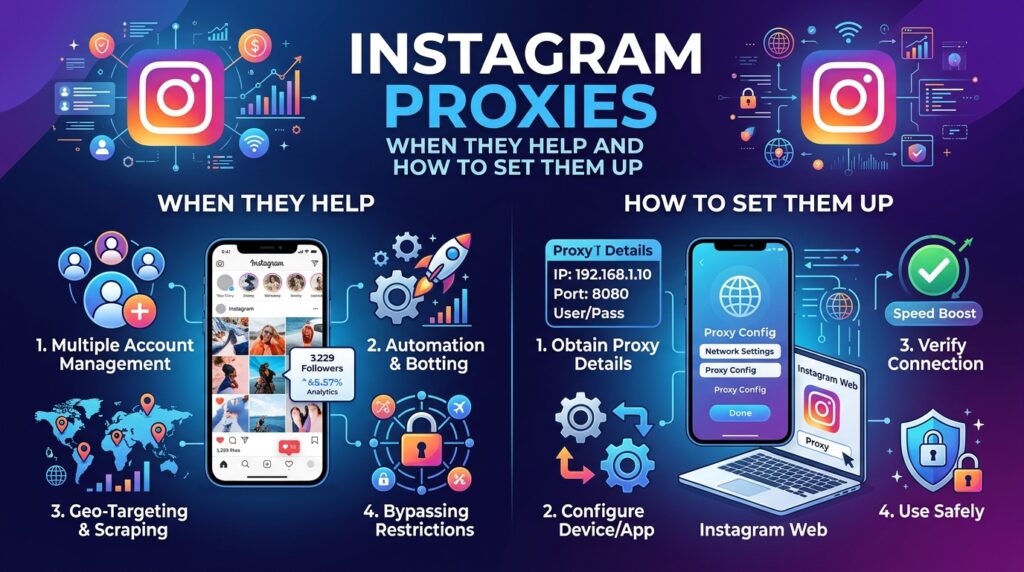
Instagram proxies are proxy servers that route your Instagram or Instagram-related traffic through another IP address, usually a residential one. They are useful for checking what audiences in other countries see, for testing the pages your Instagram traffic lands on, and for giving each client workspace a consistent, auditable route. They do not make scraping or mass automation permissible, and they will not reverse an account restriction or guarantee that an account stays safe.
Key takeaways
- Start with Meta’s official tools: publishing, competitor ad research and agency access all have official routes that need no proxy.
- The strongest use case is regional testing: residential IPs show you how your landing pages, offers and redirects behave for real visitors in each market.
- Sticky beats rotating for logged-in work: rotating the IP on every request breaks the continuity a logged-in session expects, so keep rotation for testing public pages you own.
- A proxy changes one signal only: your IP address. Account history, behaviour, content and device data are untouched.
- Instagram’s terms still apply: automated collection and account creation without permission are prohibited, with or without a proxy.
Why people look for Instagram proxies
Search for Instagram proxies and most results promise the same thing: run as many accounts as you like and never get flagged. That promise is not something any proxy provider can honestly make, and it hides the questions buyers actually need answered. Do you need a proxy for this job at all? If you do, which type, which location and which session setting?
The need behind the search is usually legitimate and fairly ordinary. A social media agency has staff in one country and clients in another. A brand launches in Germany and wants to confirm that visitors from a Reels ad reach the German page with the right currency. A marketer wants to confirm that a link-in-bio page does not redirect visitors in Japan to a broken regional store. In each case the problem is location and consistency, and those are things a residential proxy genuinely addresses.
This guide takes a narrower view than most. It sorts common Instagram jobs into three groups: the ones where a proxy adds real value, the ones where an official tool does the job better, and the ones a proxy cannot make acceptable. Then it shows how to configure and test the setup.
What an Instagram proxy actually is
There is no special Instagram-only technology behind the name. An “Instagram proxy” is an ordinary proxy used for Instagram-related work. Your browser or app connects to the proxy gateway, the gateway forwards the traffic through an exit IP, and the destination site sees that exit IP instead of yours.
Three settings decide how useful it will be for the job:
- IP type: residential, datacenter, ISP or mobile. This describes the kind of network the address belongs to.
- Location: the country, and where available the region, city or ISP, that the exit IP is selected from.
- Session behaviour: whether the IP changes on each request (rotating) or stays the same for a period (sticky). Our guide to rotating, sticky and static sessions covers this in more depth.
What a proxy does not change
A proxy replaces your IP address. It does nothing about your login history, the age of the account, how quickly actions happen, what you post, or the device information your browser or app exposes. Instagram’s privacy policy describes collecting both network and device information, and Meta does not publish how it weighs those signals. Anyone who claims to know the exact thresholds is guessing.
A proxy also should not be treated as an encryption tool. Your connection to Instagram is protected by HTTPS, and an unencrypted proxy does not add a further layer. If your actual goal is to protect yourself on public Wi-Fi, read proxy vs VPN first, because a VPN may be the better fit.
Which Instagram jobs actually need a proxy?
Use this decision table before you buy anything. The official route comes first because it is usually cheaper, more stable and clearly permitted.
| Job | Try this first | Does a residential proxy help? | Session setting |
|---|---|---|---|
| Publish and schedule posts | Meta Business Suite or the Instagram content publishing API | Rarely. Official tools do not depend on your staff’s location. | Not needed |
| Research competitor ads by country | Meta Ad Library | Rarely. The library already has a country filter. | Not needed |
| Switch between a few accounts | Instagram’s built-in account switching | Not for switching itself. | Not needed |
| Give an agency access to a client account | Meta’s business tools, so nobody has to share a password | Sometimes, for a distributed team that wants a consistent route per client. | Sticky |
| Test landing pages, link-in-bio pages, redirects, prices and language by country | No official tool covers your own site | Yes. This is the best fit. | Rotating for quick checks, sticky for multi-page flows |
| Review how your own public profile and content appear in another market | Ask a colleague or customer in that market | Yes, as a manual check. Results are personalised, so treat them as a sample. | Sticky |
| Collect public profile or hashtag data at scale | Official APIs, licensed data, or Meta’s research tools | No. Automated collection requires Instagram’s permission, whatever IP you use. | Do not do this |
| Bulk account creation, fake engagement, returning after a ban | None | No. These break the rules, and we do not support them. | Do not do this |
What Instagram’s terms mean for proxy users
Read the Instagram Terms of Use yourself before planning a workflow, and take legal advice if the stakes are high. As of November 2026, these points matter most to proxy users:
- Automated access needs permission: the terms prohibit creating accounts, accessing the service or collecting information in an automated way without express permission, and this applies whether or not you are logged in.
- Technical limits are off limits: you may not try to get around technological measures that control or limit access to the service or its data.
- Accounts cannot be traded: buying, selling or transferring accounts is prohibited, as is collecting other people’s login credentials.
- Accurate information is required: you cannot impersonate others or create an account for someone else without their explicit permission.
Using a proxy is not named as a violation in itself, and many proxy uses have nothing to do with Instagram’s service directly. But a proxy does not change what is permitted. If an activity breaks the terms from your office connection, it breaks them from a residential IP too. For the wider picture on data collection, see our notes on legal and ethical web scraping.
Choosing a proxy type for Instagram-related work
For most of the legitimate jobs above, residential IPs are the sensible default, because they come from consumer ISP networks in the places your audience actually lives. The comparison below is qualitative. Results vary by provider and target, so test before you commit.
| Proxy type | Where the IP comes from | Good fit | Main limitation |
|---|---|---|---|
| Residential | Consumer ISP connections | Regional testing, realistic visitor checks, per-client routes | Sold by bandwidth, and an individual IP can drop offline |
| Datacenter | Hosting providers | Fast technical checks on your own infrastructure | Does not represent a normal home visitor; address ranges are easy to identify as hosting |
| ISP | ISP-registered addresses on server hardware | Work that needs one fixed address for days | Fewer locations to choose from and no rotation by default |
| Mobile | Mobile carrier networks | Testing how things behave on a carrier connection | Usually costs more, and addresses are shared widely among carrier users |
A worked example: checking a German campaign
Here is a hypothetical but typical job. An agency is running Instagram ads for a client’s German launch. Before spending the budget, the team wants to confirm that people in Germany reach the right page, see euro prices and are not redirected somewhere unexpected.
The check needs no Instagram automation at all, because everything being tested sits on the client’s own website.
- List the destinations. Collect every URL the campaign uses: ad destinations, the link-in-bio page, and any tracking redirects.
- Confirm the route. Send one request through a German exit IP to an IP echo service, and check that the address has changed.
- Test each URL with rotation. Record the status code, the final URL after redirects and the language returned.
- Walk through the flow in a browser. Use a sticky session so that the same IP carries you from the product page through to the basket.
- Save the evidence. Take full-page screenshots for the client, labelled by country and date.
- Repeat for each market. Change the country parameter and run the same list again.
How to set up and test the connection
QuickProxy works with standard HTTP, HTTPS and SOCKS5 clients through one gateway, and targeting is set in the proxy username. The examples below use the format shown on our residential proxies page. Replace the placeholders with your own details, and confirm the exact parameter syntax in your dashboard. If you need a refresher on credentials, read the residential proxy authentication guide.
Step 1: Confirm the route with cURL
# Rotating: run this twice and you should normally see two different IPs
curl -x "http://USERNAME-cc-de:[email protected]:8000" https://httpbin.org/ip

# Sticky: add a session label and the IP should hold between runs
curl -x "http://USERNAME-cc-de-session-client01:[email protected]:8000" https://httpbin.org/ip
Run both commands twice. If the rotating command returns the same IP or the sticky command returns different ones, fix that before going further. Our cURL proxy guide and list of common proxy errors can help.
Step 2: Check your own pages by market with Python
This script checks a page you own from several countries and prints what a visitor there would get. Credentials are read from environment variables, so they stay out of your code.
import os
from urllib.parse import quote

import requests

GATEWAY = "gate.quickproxy.io:8000"
USER = os.environ["QP_USER"]
PASSWORD = quote(os.environ["QP_PASS"], safe="")

# Use a page you own or are authorised to test
PAGE = "https://www.example.com/instagram-offer"
MARKETS = {"us": "en-US", "de": "de-DE", "jp": "ja-JP"}

for country, language in MARKETS.items():
    url = f"http://{USER}-cc-{country}:{PASSWORD}@{GATEWAY}"
    proxies = {"http": url, "https": url}
    headers = {"Accept-Language": language}

    try:
        response = requests.get(PAGE, proxies=proxies, headers=headers, timeout=30)
        print(country, response.status_code, response.url,
              response.headers.get("Content-Language"))
    except requests.RequestException as error:
        # Print the error type only, because proxy errors can contain the proxy URL
        print(country, "failed:", type(error).__name__)
Step 3: Capture what visitors see with Playwright
Geo-targeted pages often change only after JavaScript runs, so a browser check catches things a plain request misses. Setting the matching locale and time zone gives you a more realistic test of your own localisation.
import os

from playwright.sync_api import sync_playwright

with sync_playwright() as p:
    browser = p.chromium.launch(proxy={
        "server": "http://gate.quickproxy.io:8000",
        "username": f"{os.environ['QP_USER']}-cc-de-session-qa01",
        "password": os.environ["QP_PASS"],
    })
    context = browser.new_context(locale="de-DE", timezone_id="Europe/Berlin")
    page = context.new_page()
    page.goto("https://www.example.com/instagram-offer",
              wait_until="domcontentloaded", timeout=60000)
    print(page.url, page.title())
    page.screenshot(path="offer-de.png", full_page=True)
    browser.close()
Use the HTTP endpoint here, because Chromium does not support username and password authentication over SOCKS5.
Step 4: Set up a browser profile for manual review
For hands-on work, give each client a dedicated browser profile with its own proxy settings, so that cookies and logins stay separate. Our walkthroughs for FoxyProxy, SwitchyOmega and general browser settings cover the setup. Phones are possible too, using the iPhone and Android guides, but always confirm the exit IP, because some apps may not follow the device’s proxy settings.
Planning around sticky session length
Sticky sessions on QuickProxy last up to 30 minutes, and this deserves planning rather than an assumption. Any residential IP can also leave the network earlier if the device behind it goes offline. Three practical consequences follow:
- Keep the task inside the window. A 30-minute session suits a checkout test or a review pass. It will not hold one address across a full working day.
- Keep targeting stable when renewing. Use the same country, and the same city or ISP where you target them, rather than jumping between places.
- Choose differently for long-lived needs. If a task truly needs one unchanging address for days, a residential sticky session is the wrong tool. Consider a static option instead.
Use one session label per client or task, such as client01 or qa-de. There is no official “safe” number of accounts per IP, so the label is not a safety formula. Its value is practical: it lets you see which workflow used which route when something needs investigating.
Common mistakes and how to fix them
| Mistake | Why it causes trouble | What to do instead |
|---|---|---|
| Buying proxies before checking official tools | You pay for something Meta Ad Library or Business Suite already does | Work through the decision table first |
| Using rotating IPs for a logged-in session | The address changes constantly, which breaks session continuity | Use a sticky session, and keep rotation for testing public pages |
| Hopping between countries in one session | Login location jumps may trigger security checks and create work for the real account owner | Keep to one consistent location per account |
| Using a proxy to get past a security check or restriction | It does not address the cause and may break the terms on circumvention | Use Instagram’s official recovery and appeal steps |
| Trusting free public proxies with a login | You do not know who runs them or how your traffic is handled | Never send account credentials through an unknown proxy |
| Forgetting bandwidth | Image and video pages use far more data than a simple HTTP check | Use plain requests for bulk checks and browsers only where needed |
| Putting credentials in scripts or spreadsheets | Leaked details can consume your bandwidth and damage trust | Use environment variables and mask proxy URLs in logs |
Best practices for responsible use
- Get written authorisation. Only use accounts you own or have been explicitly allowed to manage, and prefer official partner access over shared passwords.
- Protect the account first. Turn on two-factor authentication and review logged-in sessions regularly in Instagram’s Accounts Center.
- Tell the team about new routes. If a teammate uses a new location, warn the account owner so a security notice does not cause alarm.
- Treat personal data carefully. Do not collect people’s data without a lawful basis, and check rules such as the GDPR where they apply.
- Test on your own properties. Most location questions can be answered on your own site, without any automated interaction with Instagram.
- Check API limits at the source. Published figures vary, and Meta’s own publishing documentation currently quotes more than one number. Query the
content_publishing_limitendpoint for the live value. - Keep humans in the loop. Posting, replying and moderation should reflect real decisions from real people.
When to use QuickProxy residential proxies
QuickProxy is a practical fit if your Instagram-related work comes down to one question: what do people in this location actually experience? That covers campaign QA, link-in-bio and landing page testing, localisation checks and consistent per-client routes for authorised team members.
The network offers country, region, city and ISP targeting set through the proxy username, rotating or sticky sessions of up to 30 minutes, HTTP, HTTPS and SOCKS5 support, and either username/password or IP whitelist authentication. You can browse coverage on the proxy locations page and compare packages on the pricing page. The trial is a low-cost way to run the route checks above before you commit to a plan.
QuickProxy is not the right choice if you are looking for a way to scrape Instagram at scale, create accounts in bulk, generate engagement or return after a ban. No proxy provider can make those activities acceptable, and they do not belong in a sustainable marketing operation.
FAQ
Do I need a proxy to use Instagram?
No. Most people and most businesses never need one. A proxy only becomes useful when you need to test from another location or keep a consistent route for a specific workflow. Publishing, ad research and account switching all have official tools.
Are Instagram proxies legal?
Using a proxy is generally legal in most places, but legality depends on your jurisdiction and what you do with it. Separately, Instagram’s terms are a contract: an activity can be a breach of those terms without being illegal. If the stakes are high, ask a lawyer.
Can Instagram detect that I am using a proxy?
It may be able to. Meta does not publish its methods, and residential IPs are harder to tell apart from home connections than datacenter ones, but no proxy is undetectable. Plan your work so that it would be acceptable even if the proxy were noticed.
Which proxy type is best for Instagram?
Residential proxies are the best default for regional testing and consistent per-client routes, because they use consumer ISP addresses in real locations. Consider ISP proxies if you need one fixed address for days, and datacenter proxies only for technical checks that do not need to represent a home visitor.
Should I use sticky or rotating proxies for Instagram?
Use sticky sessions for anything logged in or multi-step, because the IP stays the same throughout. Use rotating sessions for quick checks of public pages you own, where each request stands alone and continuity does not matter.
How many Instagram accounts can I use per proxy?
There is no official safe number, and specific figures you see online are guesses. Instagram’s help centre says you can have up to 10 accounts logged in at one time, but that is a feature limit, not a safety guideline for proxies. For authorised multi-client work, use one session label per client so that activity stays separate and easy to audit.
Will a proxy protect my account from being banned or restricted?
No. A proxy changes your IP address, not your account’s history, behaviour or content. Restrictions usually relate to policy or activity, so a new IP does not resolve them. Follow Instagram’s official appeal process if you believe a restriction is a mistake.
Can I scrape Instagram with residential proxies?
A proxy does not give you permission. Instagram’s terms prohibit automated collection without express permission, including when you are not logged in. Use official APIs, licensed data sources or approved research programmes, and take legal advice if your project depends on this data.
Conclusion
Instagram proxies are useful when you treat them as a location and consistency tool, not as a way around the rules. Check first whether an official tool already does the job. Where location really matters, use residential IPs for realistic testing, sticky sessions for continuous work, and rotation only for standalone checks of your own pages.
If you need to see what your audience in another market sees, try QuickProxy residential proxies and start with the route checks in this guide. For related platform guidance, read about residential proxies for social media marketing.
Related reading
Put the article into practice.
Spin up real residential IPs in 150+ countries. Pay once or subscribe — from $11.