
YouTube Proxies: Check What Viewers See in Any Country
YouTube proxies show you what viewers in other countries see. Learn when they help, how to set them up with the Data API, and what YouTube's rules forbid.
Quick answer
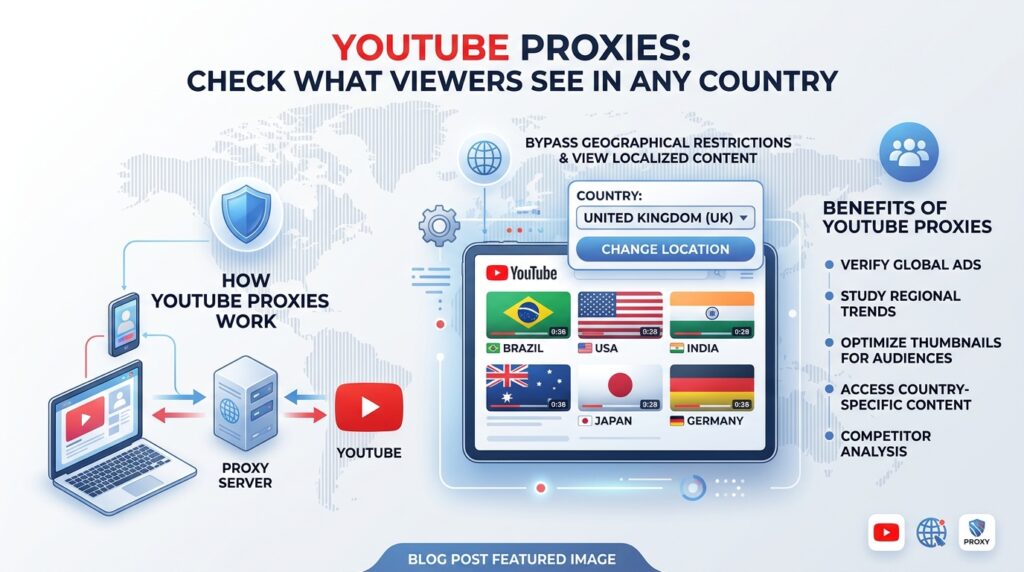
YouTube proxies are proxies, usually residential, that let you see YouTube and your own YouTube-related pages from another country’s connection. They are useful for checking regional search results by hand, testing landing pages and embedded videos by market, and reviewing what viewers elsewhere actually experience. An IP address is only one of several signals YouTube uses, though. Its location setting, your display language and your watch history also change what appears, and official tools such as the YouTube Data API often answer the question better.
Key takeaways
- IP is only one layer: YouTube’s own location setting, display language and personal history all shape results, so control every layer before comparing countries.
- Use the official API for numbers: the Data API can filter search by country and tell you where your own videos are blocked, with no proxy involved.
- Use residential proxies for experience checks: they show how pages, embeds and campaigns behave for a real visitor in a given market.
- Don’t stream video through a per-GB proxy: video playback uses far more bandwidth than page checks, so keep proxied sessions short and focused.
- Terms still apply: YouTube restricts automated access, downloading and circumvention, and a proxy changes none of that.
Why marketers and creators look for YouTube proxies
YouTube is a global platform, but no two countries see quite the same YouTube. Search results, trending charts, recommended videos, ads and even video availability vary by market. For a creator growing an international audience, a brand running video campaigns in several countries, or an agency reporting to a client abroad, that variation is a real problem: you cannot easily see what your audience sees.
That is the legitimate need behind most searches for YouTube proxies. A residential proxy in the target country gives you a connection that looks like an ordinary home visitor there. Combined with the right settings, it lets you review regional results, test the pages your YouTube traffic lands on, and check that embedded videos work for visitors in each market.
This guide is deliberately practical about the limits. It explains which YouTube jobs need a proxy, which are better served by official tools, and which are not acceptable at all. It then shows a setup you can test in a few minutes.
What decides what a YouTube viewer sees?
Most proxy articles treat location as a single switch. On YouTube it is several. If you change your IP and nothing else, you can end up comparing a German IP with an English interface, a US location setting and your own watch history. That is not what a German viewer sees.
| Layer | What it affects | How to control it | Does a proxy change it? |
|---|---|---|---|
| IP address location | The country a request appears to come from, which can affect availability and ads | Residential proxy in the target country | Yes |
| YouTube location setting | According to YouTube Help, the location you choose affects the videos that surface in recommendations, charts and news | Profile picture, then Location | No |
| Display language | Interface language and, where available, translated titles and channel names | Profile picture, then Display language, plus the browser’s language | No |
| Account and history | Personalised recommendations and search ordering | Use a clean browser profile, signed out where possible | No |
| Device and app | Layout, available features, and on TVs and consoles the device’s own language and location settings | Test on the device type your audience uses | No |
The practical rule: when you check a market, match all the layers you can. Use a residential IP in that country, set YouTube’s location and language to match, and work in a fresh browser profile. Even then, treat what you see as a sample, because personalisation means no two viewers get identical results.
Which YouTube jobs need a proxy?
Before buying anything, check whether an official tool already does the job. Official routes are usually free, clearly permitted and more consistent than manual browsing.
| Job | Try this first | Does a residential proxy help? | Session setting |
|---|---|---|---|
| Track where your video ranks for a keyword in each country | YouTube Data API search with regionCode and relevanceLanguage |
For spot checks of the real page, yes. For bulk numbers, use the API. | Sticky for a manual review |
| Find out where your own videos are blocked | Data API regionRestriction field |
Only to confirm the viewer experience by hand | Sticky |
| Research competitors’ YouTube ads | Google Ads Transparency Center, which can filter by region and date | Rarely | Not needed |
| Check landing pages behind your YouTube ads, links and descriptions | No official tool covers your own site | Yes. This is the strongest use case. | Rotating for quick checks, sticky for multi-page flows |
| Test embedded YouTube videos on your site by country | Check regionRestriction first |
Yes, to see the page as a local visitor does | Sticky |
| Review a market’s homepage, trending and search results | Change the YouTube location setting | Yes, combined with the location setting, for a more complete picture | Sticky |
| Let an agency manage a client’s channel | YouTube Studio channel permissions, so nobody shares a password | Rarely | Not needed |
| Bulk scraping, downloading videos, watching content not offered in your country, buying cheaper regional subscriptions, fake views | None | No. These conflict with YouTube’s terms, and we do not support them. | Do not do this |
What YouTube’s terms mean for proxy users
Read the YouTube Terms of Service for your country before you plan a workflow. At the time of writing, the version we checked was dated 5 January 2022. These restrictions matter most to proxy users:
- Automated access: you may not access the service using automated means such as robots, botnets or scrapers. The exceptions are public search engines that follow YouTube’s robots.txt file, prior written permission from YouTube, and access permitted by applicable law.
- Downloading: you may not download or reproduce content unless the service expressly allows it, YouTube gives written permission, or the law permits it.
- Circumvention: you may not circumvent, disable or otherwise interfere with any part of the service.
- Personal information: you may not collect information that might identify a person without their permission, except under the narrow exception above.
A proxy is not banned as such, and most of the work in this guide happens on your own pages or by hand. But a residential IP does not change what is permitted. If an activity breaks the terms from your office connection, it breaks them from a proxy too. The YouTube API Services developer policies also apply whenever you use the API or the embedded player.
A worked example: launching a channel in Brazil
Here is a hypothetical but typical job. A software company has a successful English-language YouTube channel and is launching Portuguese versions of its tutorials for Brazil. The marketing team wants to know three things before promoting the launch: whether the videos are available in Brazil, how they rank for target keywords there, and whether the Brazilian landing page works for local visitors.
- Check availability with the API. Read each video’s
regionRestrictionfield and confirm that Brazil is not blocked. - Measure rankings with the API. Run each target keyword with
regionCode=BRandrelevanceLanguage=pt, and record the positions. - Confirm the proxy route. Send one request through a Brazilian residential IP and check that the address changed.
- Test the landing page. Check the page’s status, redirects, language and prices through the Brazilian route.
- Review the real experience. In a fresh browser profile on the Brazilian route, set YouTube’s location to Brazil and its language to Portuguese, then spot-check the search results and the embedded videos on the landing page.
- Record the evidence. Save screenshots labelled by country and date, and compare manual results with the API figures.
Steps 1 and 2 need no proxy at all. The proxy earns its place in steps 4 and 5, where only a real local connection shows what a visitor experiences.
How to set up and test the connection
QuickProxy works with standard HTTP, HTTPS and SOCKS5 clients through one gateway, and targeting is set in the proxy username. Replace the placeholders below with your own details, and check your dashboard for the exact parameter syntax. If you are new to credentials, read the residential proxy authentication guide first.
Step 1: Confirm the route with cURL
# Rotating: run twice and you should normally see two different IPs
curl -x "http://USERNAME-cc-br:[email protected]:8000" https://httpbin.org/ip

# Sticky: the session label should keep the same IP between runs
curl -x "http://USERNAME-cc-br-session-yt01:[email protected]:8000" https://httpbin.org/ip
If the rotating command keeps returning one IP, or the sticky command returns different ones, fix that before going further. Our cURL proxy guide and list of common proxy errors can help.
Step 2: Check availability and regional rankings with the YouTube Data API
This script uses the official API, so it needs an API key from Google Cloud but no proxy. It reports where a video is viewable and where it ranks for a keyword in each market.
import os

import requests

API_KEY = os.environ["YT_API_KEY"]
API = "https://www.googleapis.com/youtube/v3"
VIDEO_ID = "YOUR_VIDEO_ID"
MARKETS = {"US": "en", "BR": "pt", "DE": "de"}


def is_viewable(restriction, country):
    if "allowed" in restriction:
        return country in restriction["allowed"]
    if "blocked" in restriction:
        return country not in restriction["blocked"]
    return True  # The API reports no region restriction


def rank_in_market(query, country, language):
    response = requests.get(f"{API}/search", params={
        "part": "snippet", "q": query, "type": "video", "maxResults": 50,
        "regionCode": country, "relevanceLanguage": language, "key": API_KEY,
    }, timeout=30)
    response.raise_for_status()
    ids = [item["id"]["videoId"] for item in response.json().get("items", [])]
    return ids.index(VIDEO_ID) + 1 if VIDEO_ID in ids else None


video = requests.get(f"{API}/videos", params={
    "part": "contentDetails", "id": VIDEO_ID, "key": API_KEY,
}, timeout=30).json()["items"][0]
restriction = video["contentDetails"].get("regionRestriction", {})

for country, language in MARKETS.items():
    rank = rank_in_market("proxy setup tutorial", country, language)
    print(country, "viewable:", is_viewable(restriction, country), "rank:", rank or "not in top 50")
Watch your quota. According to Google’s quota documentation, projects get 100 search.list calls per day by default, in a separate bucket from the 10,000 daily units shared by most other endpoints. Defaults can change, so check the current figures in your Google Cloud console. API rankings are also not personalised, so they will not exactly match what a signed-in viewer sees.
Step 3: Test your landing pages by market with Playwright
This script opens a page you own through a residential IP in each market and saves a screenshot. It blocks video and audio files, so you test the page itself without spending bandwidth on media.
import os

from playwright.sync_api import sync_playwright

PAGE = "https://www.example.com/pt-br/tutorials"  # A page you own
MARKETS = {"br": ("pt-BR", "America/Sao_Paulo"), "de": ("de-DE", "Europe/Berlin")}


def skip_media(route):
    if route.request.resource_type == "media":
        return route.abort()
    return route.continue_()


with sync_playwright() as p:
    for country, (locale, timezone) in MARKETS.items():
        browser = p.chromium.launch(proxy={
            "server": "http://gate.quickproxy.io:8000",
            "username": f"{os.environ['QP_USER']}-cc-{country}-session-lp{country}",
            "password": os.environ["QP_PASS"],
        })
        context = browser.new_context(locale=locale, timezone_id=timezone)
        context.route("**/*", skip_media)
        page = context.new_page()
        page.goto(PAGE, wait_until="domcontentloaded", timeout=60000)
        print(country, page.url, page.title())
        page.screenshot(path=f"landing-{country}.png", full_page=True)
        browser.close()
The script checks your page and its layout, not whether the YouTube player plays. Leave playback checks to a person in a proxied browser profile, and use the API’s regionRestriction field to know in advance where a video is blocked. Use the HTTP endpoint for browsers, because Chromium does not support username and password authentication over SOCKS5.
Step 4: Set up a browser profile for manual review
For hands-on checks of YouTube itself, create a dedicated browser profile for each market and route it through a sticky session with FoxyProxy or another proxy extension. Our FoxyProxy guide and browser settings guide cover the setup. In that profile, set YouTube’s location and display language to match the market, and do not sign in to your own account, so your history does not colour the results.
Bandwidth: the cost most people forget
Residential proxies are usually sold by the gigabyte, and video is the heaviest content on the web. Watching a few videos through a proxy can use more data than thousands of ordinary page checks. A few habits keep costs predictable:
- Check pages, not playback: most questions about rankings, availability and landing pages can be answered without playing a video.
- Block media in automation: as in the Playwright example, abort video and audio requests in automated checks.
- Use the API for volume: API calls go directly to Google and use no proxy bandwidth.
- Keep manual sessions short: start playback only when you need to confirm the viewer experience, then stop.
Our article on the speed of residential proxies explains why media-heavy sessions also feel slower through a residential route.
Planning around sticky session length
QuickProxy sticky sessions last up to 30 minutes. A residential IP can also drop earlier if the device behind it goes offline. For YouTube review work, that means:
- Plan short review blocks: 30 minutes is plenty to check one market’s search results, homepage and landing pages.
- Keep the market stable: when a session expires, renew it in the same country rather than switching.
- Label each market: session labels such as
yt-broryt-demake it obvious which screenshots came from which route.
For a deeper explanation, see our guide to rotating, sticky and static sessions.
Common mistakes and how to fix them
| Mistake | Why it causes trouble | What to do instead |
|---|---|---|
| Changing only the IP | Location setting, language and history still reflect your home market | Match every layer in the visibility table |
| Checking while signed in to your own account | Your watch history personalises results | Use a fresh, signed-out profile for each market |
| Using a proxy for bulk rank tracking | It is slow, uses bandwidth and conflicts with the terms on automated access | Use the Data API for volume and the proxy for spot checks |
| Treating one manual check as the truth | Personalisation and testing mean results vary between viewers | Repeat checks and compare them with API data |
| Streaming video through the proxy | Media burns through per-GB bandwidth quickly | Block media in automation and limit manual playback |
| Using rotating IPs for a multi-page review | The IP changes between pages, breaking session continuity | Use a sticky session for any flow longer than one request |
| Hard-coding API keys or proxy passwords | Leaked credentials can be misused and are hard to trace | Use environment variables and mask secrets in logs |
Best practices for responsible use
- Work on what you own: your channel, your videos, your landing pages and your campaigns. That is where a proxy adds the most and raises the fewest questions.
- Use official access for data: the Data API and YouTube Studio Analytics give you reliable numbers on your own content.
- Keep humans in the loop: manual review in a proxied profile is a check, not a pipeline.
- Respect licensing: regional availability often reflects rights agreements. Report the restriction to the rights holder rather than working around it.
- Protect people’s data: do not collect commenters’ or viewers’ personal information, and check rules such as the GDPR where they apply.
- Grant access properly: give agencies and freelancers access through YouTube Studio’s channel permissions instead of sharing a password.
When to use QuickProxy residential proxies
QuickProxy fits YouTube-related work when the question is about experience in a location: what a viewer in Brazil sees when they click your video description link, whether your German landing page loads correctly for local visitors, or how a market’s search results look compared with your API data.
The network offers country, region, city and ISP targeting set in the proxy username, rotating or sticky sessions of up to 30 minutes, HTTP, HTTPS and SOCKS5 support, and either username/password or IP whitelist authentication. You can browse coverage on the proxy locations page and compare bandwidth packages on the pricing page. The trial is enough to run the route checks and a few landing page tests from this guide.
QuickProxy is not a tool for downloading videos, watching content not licensed in your country, buying cheaper regional subscriptions or inflating views. No proxy makes those acceptable.
FAQ
Do I need a proxy to see YouTube results from another country?
Not always. Changing YouTube’s location setting already affects recommendations, charts and news. A residential proxy adds a real local connection, which matters for availability, ads and your own landing pages. For the most realistic check, use both.
What is the best proxy type for YouTube?
Residential proxies are the best default for regional review and landing page testing, because they use consumer ISP addresses in real locations. Datacenter proxies are fine for technical checks on your own servers but do not represent a home viewer.
Can I track YouTube rankings by country without a proxy?
Yes. The YouTube Data API’s search endpoint accepts a regionCode to return videos viewable in a country and a relevanceLanguage to favour results in a language. It is the most reliable route for repeat measurements, within your daily quota.
How do I check whether my video is blocked in a country?
Request the video’s contentDetails from the Data API and read regionRestriction. An allowed list means the video plays only in the listed countries, and a blocked list means it plays everywhere except those countries.
Is it legal to use a proxy with YouTube?
Using a proxy is generally legal in most places, but what you do with it matters. YouTube’s terms separately restrict automated access, downloading and circumvention. Breaching the terms can have consequences for your account even when no law is broken, so take advice if the stakes are high.
Why does YouTube still show me my home country’s results through a proxy?
Usually because the other layers still point home. Check YouTube’s location setting, your display and browser language, and whether you are signed in. Then confirm with an IP check that traffic is actually leaving through the target country.
How much bandwidth does YouTube use through a proxy?
It depends on what you load. Page checks are light, but video playback is heavy and grows with resolution and duration. Avoid streaming through a per-GB proxy unless you need to confirm playback, and block media in automated checks.
Conclusion
YouTube proxies are most useful when you treat them as one piece of a regional review, not as a switch that makes you a local viewer. Use the Data API for availability and ranking numbers. Then use a residential IP, matching location and language settings, and a clean profile to see the real experience, especially on the landing pages your YouTube traffic reaches.
If you need to see what viewers in another market see, try QuickProxy residential proxies and start with the route checks in this guide. For a related platform, read our guide to Instagram proxies.
Related reading
Put the article into practice.
Spin up real residential IPs in 150+ countries. Pay once or subscribe — from $11.