
Geo-Targeted Residential Proxies: Country, City and ISP
Learn how geo-targeted residential proxies work, how accurate country, city and ISP targeting really is, and how to choose and verify the right level.
Quick answer
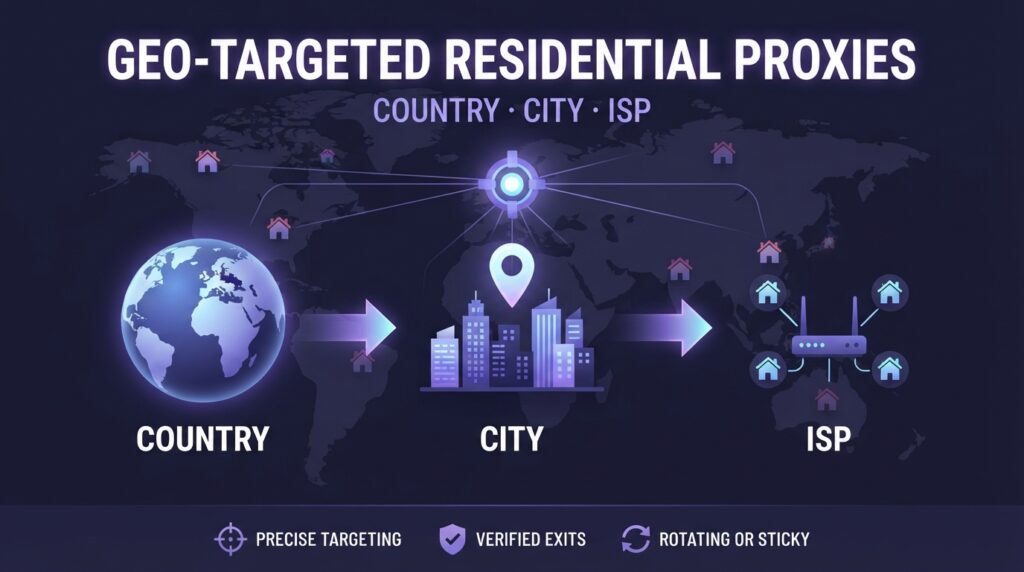
Geo-targeted residential proxies let you choose where your exit IP address comes from: a country, a region, a city, or a specific internet service provider (ISP). The right level depends on what changes the content you are checking. Country targeting is enough for most pricing, availability and language checks. City targeting matters for local search and local offers. ISP targeting matters when content or performance depends on the network. Narrower targeting means a smaller pool of IPs, so target only as precisely as the job needs.
Key takeaways
- Start broad: begin with country targeting and narrow it only when you can show that results differ at a finer level.
- Geolocation is an estimate: websites locate IPs with commercial databases, and city-level accuracy is much lower than country-level accuracy.
- ISP targeting rests on ASNs: every ISP announces its addresses under an autonomous system number, which is how a site can tell which network you are on.
- Precision has a cost: narrower targeting draws from fewer IPs, which can mean more reuse and fewer available exits.
- Verify every route: check the exit’s country, city and network with a lookup service before you trust any data collected through it.
Why location targeting matters
A growing share of the web is location-aware. Online stores change prices, currencies and shipping options by country. Search engines rank results differently from city to city. Ad platforms serve different campaigns in different regions. Streaming services, news sites and marketplaces adjust what is available based on where they believe the visitor is.
For teams that monitor any of this, the location of the IP address making the request decides what data comes back. Check a German store’s prices from a US connection and you may see a different currency, a redirect to the US store, or a page saying the product is not available. The data is not wrong, but it is not the data you meant to collect.
Residential proxies solve this by routing requests through IP addresses that consumer ISPs assign to real homes in the target location. Geo-targeting is the setting that decides which of those homes you appear to come from. Getting it right is the difference between clean regional data and a dataset quietly contaminated by the wrong locations.
The four levels of residential proxy targeting
Most residential proxy networks, including QuickProxy, let you target at several levels. Each level answers a different question.
Country targeting
Country targeting selects an exit IP anywhere within a country. It is the broadest level, draws on the largest pool of IPs, and is the most reliable, because commercial geolocation databases are most accurate at country level. Use it whenever the content you care about changes by country but not within one.
Region or state targeting
Region targeting narrows the pool to a state, province or similar area. It matters when rules, taxes, delivery options or regional promotions differ within a country, as they often do across US states.
City targeting
City targeting selects exits that geolocate to a specific city. It is the level that local search, local delivery checks and city-specific ad campaigns usually need. It is also the level where geolocation is least certain, as explained below.
ISP targeting and ASNs
ISP targeting selects exits on a particular provider’s network. Behind the scenes this relies on autonomous system numbers (ASNs). An autonomous system is a network under a single operator’s control, and each one has a number that identifies it on the internet’s routing system. When a website looks up your IP, it can usually see which ASN, and therefore which provider, the address belongs to. ISP targeting is useful when content, performance or availability differs by network, for example when an offer is tied to a broadband provider or a CDN behaves differently on one network.
How websites work out where an IP is
A proxy provider can tell you which country or city an exit is in, but the website you visit makes its own decision. Understanding how that decision is made explains most of the confusing results people get with geo-targeting.
- Registration records. Regional internet registries record which organisation holds each block of IP addresses, and roughly where. This is a reliable source for country and network, but it is coarse.
- Self-published feeds. Network operators can publish their own location data in a standard format defined in RFC 8805. It is a simple file mapping IP prefixes to a country, region and city.
- Commercial databases. Companies such as MaxMind and IPinfo combine these sources with their own measurements and sell the results. Most websites use one of these databases to decide where a visitor is.
Because each website may use a different database, two sites can place the same IP in different cities. Accuracy also falls sharply at finer levels. MaxMind’s published accuracy figures estimate about 99.8% accuracy at country level, but for US IP addresses only around 80% at state level and around 66% at city level within a 50 km radius. MaxMind also notes that IP geolocation can never be guaranteed to be fully accurate.
The practical lesson: country targeting is dependable, while city targeting is a strong hint rather than a guarantee. If a city-level result looks odd, the website may simply be placing the IP somewhere else.
Comparing targeting levels
| Level | Best for | Relative pool size | How reliably sites agree | Main trade-off |
|---|---|---|---|---|
| Country | Prices, currencies, availability, language, national search results | Largest | High | Misses differences within the country |
| Region or state | Regional tax, delivery and promotions; state-level rules | Large | Moderate | Databases disagree more often |
| City | Local search, local offers, city ad campaigns | Smaller, especially outside big cities | Lowest | Fewer exits and less certain placement |
| ISP | Network-specific content, CDN and performance checks | Depends on the provider’s share of the market | High for the network itself | Combining it with a city narrows the pool a lot |
Which targeting level does each job need?
Use this matrix as a starting point, then test whether a narrower level actually changes your results.
| Use case | Recommended targeting | Session setting | Why |
|---|---|---|---|
| National price and stock monitoring | Country | Rotating | Prices rarely differ by city, and a larger pool spreads requests |
| Local SEO rank checks | City | Sticky per keyword batch | Local results change with the searcher’s location |
| Regional promotions and delivery checks | Region or city | Sticky for checkout-style flows | Offers and delivery options can be set per area |
| Ad verification | City, sometimes with ISP | Sticky | Campaigns are often targeted by city and sometimes by network |
| Website localisation QA | Country | Sticky | Language and currency usually switch at country level |
| CDN or network performance checks | Country and ISP | Rotating within the ISP | Performance depends on the route through a specific network |
| Large-scale public data collection | Country only, or none | Rotating | Narrow targeting shrinks the pool and adds no value if content is not location-specific |
For deeper guides to some of these jobs, see residential proxies for local SEO rank tracking and competitor price monitoring with rotating residential proxies.
The start-broad method: finding the right level
Guessing the targeting level wastes bandwidth and narrows your pool for no reason. A short comparison test tells you what the target actually responds to.
- Pick one representative page. Choose a product page, search query or landing page that matters to your project.
- Fetch it at country level. Make several requests with country targeting and record the parts of the page you care about, such as price, availability, ranking or ad.
- Fetch it at city level. Repeat for two or three cities in that country.
- Compare. If the city results match the country results, stay at country level. If they differ consistently, city targeting is justified.
- Repeat later. Websites change their localisation, so recheck periodically rather than assuming the answer is permanent.
This test also exposes an important trap. If city results vary randomly instead of consistently, the cause may be personalisation, A/B testing or caching rather than location. Run enough samples to tell the difference.
How to set up and verify geo-targeting
QuickProxy sets targeting in the proxy username, so you can change location per request without visiting a dashboard. The examples below use country targeting with the -cc- parameter. Region, city and ISP parameters follow the same pattern; copy their exact names from your dashboard. If credentials are new to you, start with the residential proxy authentication guide.
Step 1: Check one exit with cURL
# Country-targeted exit: the lookup should report country DE
curl -x "http://USERNAME-cc-de:[email protected]:8000" https://ipinfo.io/json

# Sticky session in the same country: the same IP should come back on a second run
curl -x "http://USERNAME-cc-de-session-geo01:[email protected]:8000" https://ipinfo.io/json
The response includes the exit’s country, region, city and org. The org field starts with the ASN, for example AS15169 Google LLC for one of Google’s addresses, which tells you which network the exit belongs to. For regular use, create an IPinfo account and follow its terms. See our cURL proxy guide for more options.
Step 2: Measure targeting accuracy with Python
One lookup proves the route works. A sample proves the targeting is consistent. This script makes a series of rotating requests, looks up each exit, and counts how many match the country you asked for.
import collections
import os
from urllib.parse import quote

import requests

GATEWAY = "gate.quickproxy.io:8000"
USER = os.environ["QP_USER"]
PASSWORD = quote(os.environ["QP_PASS"], safe="")
TOKEN = os.environ.get("IPINFO_TOKEN")  # Optional IPinfo token

TARGETING = "cc-de"  # Add region, city or ISP parameters from your dashboard
EXPECTED_COUNTRY = "DE"
SAMPLES = 10


def look_up_exit():
    proxy = f"http://{USER}-{TARGETING}:{PASSWORD}@{GATEWAY}"
    params = {"token": TOKEN} if TOKEN else {}
    response = requests.get("https://ipinfo.io/json", params=params,
                            proxies={"http": proxy, "https": proxy},
                            timeout=(10, 30))
    response.raise_for_status()
    return response.json()


tally = collections.Counter()
cities = collections.Counter()

for attempt in range(1, SAMPLES + 1):
    try:
        exit_info = look_up_exit()
    except requests.RequestException as error:
        tally["error"] += 1
        print(attempt, "error:", type(error).__name__)
        continue
    matched = exit_info.get("country") == EXPECTED_COUNTRY
    tally["match" if matched else "mismatch"] += 1
    cities[exit_info.get("city")] += 1
    print(attempt, exit_info.get("country"), exit_info.get("city"), exit_info.get("org"))

print("Summary:", dict(tally))
print("Cities seen:", cities.most_common(5))
Run it for each targeting setting before a project starts and save the output. If you later see strange results in your data, compare against this baseline first. Remember that IPinfo is one database. A target website using a different provider may disagree on city, which is exactly what the accuracy figures above predict.
Step 3: Keep the rest of the request consistent
An IP in Germany paired with an English Accept-Language header and a US time zone in a browser is an inconsistent visitor. Many sites choose language from the header rather than the IP, so your data can come back in the wrong language even with perfect targeting.
- HTTP clients: set
Accept-Languageto match the market, such asde-DE,de;q=0.9for Germany. - Browsers: in Playwright or Puppeteer, set the context’s locale and time zone to match the exit, as shown in our Instagram proxies guide.
- Currency and store selection: clear cookies between markets so that a previous country’s choice does not carry over.
Targeting and session length together
Targeting decides where an IP comes from. Sessions decide how long you keep it. QuickProxy sticky sessions last up to 30 minutes, and any residential IP can leave the network sooner if the device behind it goes offline. Narrow targeting makes this more noticeable, because there are fewer replacement IPs in a small city than in a whole country.
- Renew at the same level: when a sticky session ends, request a new one with identical targeting rather than broadening it silently.
- Record which exit produced each data point: store the exit’s country, city and ASN alongside your results, so you can filter out mismatches later.
- Plan a fallback: decide in advance whether a job should wait, retry, or fall back from city to region when the city pool is thin, and log when it does.
Our guide to rotating, sticky and static sessions covers session design in more depth.
Common mistakes and how to fix them
| Mistake | What goes wrong | Fix |
|---|---|---|
| Using city targeting by default | Smaller pool and more reuse, with no change in results | Run the start-broad comparison first |
| Trusting the proxy’s location label alone | The target site may place the IP elsewhere | Verify exits with a lookup and store the result with your data |
| Mismatched language and time zone | Pages come back in the wrong language or currency | Align headers, locale and time zone with the market |
| Carrying cookies between markets | A saved store or currency choice overrides the new location | Use a fresh session or browser context for each market |
| Treating random variation as location | A/B tests and personalisation look like regional differences | Take several samples per location before drawing conclusions |
| Stacking city and ISP targeting without need | The pool becomes very small and exits may be unavailable | Combine levels only when both demonstrably change the result |
| Silent fallback to a broader level | Data from the wrong area mixes into city-level results | Log every fallback and keep that data separate |
Best practices
- Write down the targeting rule for each project: which level, which session type, and why. It keeps a team consistent.
- Store exit metadata with every result: country, city and ASN make your data auditable.
- Recheck targeting needs every few months: sites change how they localise content.
- Keep request rates reasonable: narrow pools put more load on fewer IPs, so pace requests and respect each site’s limits and terms.
- Collect public data responsibly: follow robots.txt and site terms, and respect privacy laws when pages contain personal information. Our article on legal and ethical web scraping covers the basics.
When to use QuickProxy residential proxies
QuickProxy is a good fit when your results depend on where a request comes from: regional pricing, local search, city-level ad checks, localisation QA or network-specific testing. Targeting by country, region, city and ISP is set in the proxy username, so one script can move between markets without any dashboard changes. Sticky sessions of up to 30 minutes, HTTP, HTTPS and SOCKS5 support, and username/password or IP whitelist authentication cover most setups.
See which countries are available on the proxy locations page and compare bandwidth packages on the pricing page. The trial is enough to run the verification script above for a few markets before you commit.
FAQ
What is a geo-targeted residential proxy?
It is a residential proxy whose exit IP is chosen from a specific location, such as a country, region or city, or from a specific ISP’s network. The target website sees a home connection in that place instead of your own.
Is city-level proxy targeting accurate?
It is less certain than country targeting. Websites locate IPs with geolocation databases, and MaxMind estimates its US city-level accuracy at around 66% within 50 km, against about 99.8% for countries. Verify exits and expect some disagreement between sites.
What is an ASN, and why does it matter for proxies?
An autonomous system number identifies a network run by one operator, such as an ISP. Websites can see an IP’s ASN, so it reveals which provider a visitor uses. ISP targeting lets you choose exits on a particular network.
Should I always use the most precise targeting available?
No. Narrow targeting shrinks the pool of available IPs, which increases reuse and can make exits harder to get. Use the broadest level that still produces the results you need, and narrow it only when testing shows a difference.
Why does a website show a different city from the one I targeted?
The website uses its own geolocation database, which may place the IP elsewhere. City-level data is the least consistent between providers. Check the exit with a lookup service and compare results across several requests.
Can I combine city and ISP targeting?
Often yes, but each extra filter reduces the number of matching IPs. Combine them only when both the city and the network change what you see, and plan what your job should do if no matching exit is available.
Do I need geo-targeting for web scraping?
Only when the content depends on location. For pages that are the same everywhere, targeting adds no value and limits the pool. For prices, availability, search results and ads, country targeting is usually the minimum.
Conclusion
Geo-targeting is one of the most useful features of residential proxies, but more precision is not automatically better. Start at country level, verify every route, keep language and cookies consistent with the market, and narrow to region, city or ISP only when testing shows it changes your results. That approach gives you cleaner regional data while keeping your IP pool large and your costs predictable.
If your work depends on seeing the web from specific places, try QuickProxy residential proxies and start by running the verification script for the markets you care about.
Related reading
Put the article into practice.
Spin up real residential IPs in 150+ countries. Pay once or subscribe — from $11.