
Residential vs Datacenter Proxies: Which Should You Use?
Residential vs datacenter proxies explained: how websites tell them apart, which to use for each task, and how to compare the real cost per usable result.
Quick answer
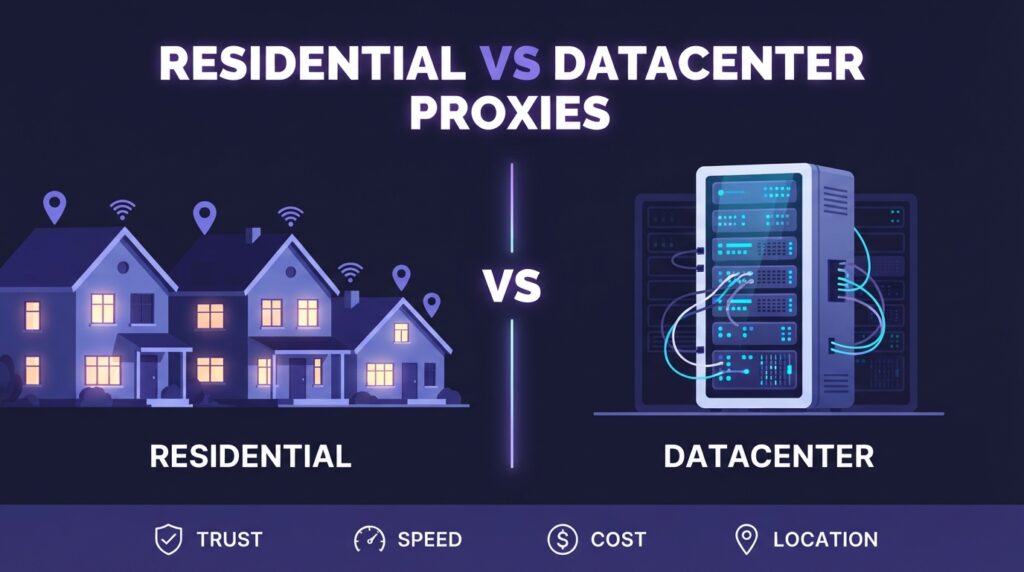
Residential vs datacenter proxies comes down to trust versus speed and cost. Datacenter proxies use IP addresses owned by hosting companies: they are fast, stable and usually cheaper, but websites can easily recognise them as server traffic. Residential proxies use IP addresses that consumer ISPs assign to homes, so they look like ordinary visitors and work better on strict, location-aware websites. Choose datacenter for tolerant targets and internal testing. Choose residential when blocks, CAPTCHAs or location accuracy affect your results.
Key takeaways
- The difference is who owns the IP: a hosting provider for datacenter proxies, a consumer internet provider for residential proxies.
- Websites can tell them apart: IP intelligence databases label hosting ranges, which is why datacenter traffic meets more blocks on protected sites.
- Price per GB is the wrong comparison: compare the cost per usable result, including failed requests, retries and wrong-location data.
- Many teams use both: route easy targets through datacenter IPs and send strict or location-sensitive targets through residential IPs.
- Test before committing: a small trial on your real targets tells you more than any general comparison, including this one.
Why this choice matters more than it seems
Choosing a proxy type sounds like a technical detail, but it decides whether your project works. Pick datacenter proxies for a target that blocks hosting traffic and you will pay for requests that return CAPTCHAs, error pages or misleading content. Pick residential proxies for a simple internal test and you will pay a premium for trust you never needed.
Most comparisons list pros and cons and stop there. This guide goes further: it explains how websites actually tell the two types apart, shows a decision matrix for common use cases, and gives you a way to compare real costs instead of headline prices. By the end you should be able to decide for your own project, not just in general.
What is a datacenter proxy?
A datacenter proxy routes your traffic through an IP address that belongs to a cloud or hosting provider. These addresses live on servers in data centres, not in anyone’s home. Providers buy or lease large blocks of them, which is why datacenter proxies are plentiful, fast and relatively cheap.
The weakness is visibility. Hosting providers register their address blocks under their own network identities, and IP intelligence services classify those ranges as hosting or data centre traffic. A website does not need to see anything suspicious in your request: the address alone tells it the visitor is a server rather than a person at home.
What is a residential proxy?
A residential proxy routes your traffic through an IP address that a consumer internet provider has assigned to a household connection. To the website, the request looks like it comes from an ordinary home user in that location.
That is the main advantage: residential addresses sit in the same ranges as real customers, so websites are far more cautious about blocking them. They also come from real places, which makes country, city and ISP targeting meaningful. Our guide to geo-targeted residential proxies explains how that targeting works.
The trade-offs are cost and consistency. Residential traffic is usually sold by the gigabyte, and individual residential IPs can go offline when the device behind them disconnects. Sourcing also matters more: a residential network is only as trustworthy as the way its IPs were obtained, which we cover in are residential proxies safe?
How websites tell residential and datacenter IPs apart
Understanding the detection side explains every other difference in this guide. Websites and their security vendors typically look at several signals:
- Network ownership. Every IP belongs to a network with an autonomous system number (ASN). If the ASN belongs to a cloud or hosting company, the visitor is very likely a server.
- IP type classification. Commercial IP intelligence databases label ranges as hosting, ISP, mobile or business. Many anti-bot systems consult them on every request.
- Reputation history. Addresses that have recently sent abusive or automated traffic score worse. Busy shared datacenter ranges often carry that history.
- Behaviour. Request speed, patterns and browser signals matter regardless of IP type. A residential IP sending thousands of identical requests per minute will still be flagged.
The first two signals are where datacenter proxies lose. The last one applies to everyone, which is why switching to residential IPs does not fix an aggressive scraper. See our article on residential proxies and CAPTCHAs for more on this.
Residential vs datacenter proxies: side-by-side comparison
| Factor | Datacenter proxies | Residential proxies |
|---|---|---|
| IP owner | Cloud and hosting providers | Consumer internet providers |
| How sites classify them | Usually as hosting or server traffic | Usually as ordinary home visitors |
| Block and CAPTCHA risk on protected sites | Higher | Lower, though behaviour still matters |
| Speed and latency | Typically faster and very consistent | Typically slower and more variable, because traffic passes through home connections |
| IP stability | High: an address stays available as long as you rent it | Lower: an address can drop when the device goes offline |
| Common pricing model | Often per IP, frequently with generous bandwidth | Usually per GB of traffic |
| Location accuracy | Limited to where providers have data centres | Wide coverage, often down to city and ISP |
| Rotation | Possible, within a fixed pool | Typically built in, across a large pool, with sticky sessions available |
| Sourcing questions | Few: addresses are leased from hosting firms | Important: ask how consent was obtained for each device |
| Best for | Speed-critical work on tolerant targets, internal testing | Strict websites, location-aware data, realistic user checks |
For a deeper look at the speed side, see our article on the speed of residential proxies.
Which proxy type should you use? A decision matrix
Use this matrix as a starting point for common jobs. Where it says “test both”, the target website decides, not the use case.
| Use case | Recommended type | Why |
|---|---|---|
| Monitoring prices on large ecommerce sites | Residential | Major retailers often run strict bot protection and show prices by location |
| Checking local search rankings | Residential | Results depend on location, and search engines are cautious with hosting traffic |
| Ad verification by country or city | Residential | Ad platforms target real users in real places |
| Testing your own website or API under load | Datacenter | You control the target, so trust does not matter and speed does |
| Collecting data from small, unprotected sites | Datacenter, then test | Cheaper, and often good enough when no bot protection is in place |
| Downloading large public files you are allowed to fetch | Datacenter | Per-GB residential pricing makes heavy downloads expensive |
| Checking how a landing page looks abroad | Residential | Shows exactly what a real local visitor sees |
| Managing authorised accounts on social platforms | Residential, sticky sessions | Platforms are wary of hosting IPs for logged-in activity |
| Travel fare and availability monitoring | Residential | Fares and availability often vary by visitor location |
| Uptime and performance monitoring of your services | Datacenter, plus residential spot checks | Datacenter for constant checks, residential to confirm the real user path |
| Market research across many countries | Residential | Datacenter locations rarely match the markets you need |
| Mid-sized sites with unknown protection | Test both | A short trial reveals whether datacenter IPs are being treated differently |
The real cost comparison: cost per usable result
Comparing a datacenter plan’s monthly price with a residential plan’s price per gigabyte is like comparing a cheap printer with an expensive one by price alone, without counting the ink. What you actually pay for is a usable result: a correct page from the correct location, collected without days of debugging.
A more honest formula is:
Cost per usable result = total proxy cost ÷ number of correct, usable responses
Several hidden costs push the datacenter figure up on strict targets:
- Failed requests: blocks, CAPTCHAs and timeouts still use bandwidth or IP capacity.
- Retries: each retry multiplies the cost of a single result.
- Wrong data: some sites quietly serve different content to suspected bots, such as missing prices or a different region. This is the most expensive failure, because you may not notice it.
- Engineering time: hours spent working around blocks often cost more than the proxies themselves.
The reverse is also true. On a tolerant target where datacenter IPs succeed almost every time, residential proxies add cost without improving results. The point is to measure, not to assume. Our explainer on pay-as-you-go residential proxies and our look at unlimited bandwidth proxies cover the pricing models in more detail.
The hybrid approach most teams end up using
Experienced teams rarely choose one type for everything. They route traffic by target:
- Sort your targets. List every website or service your project touches.
- Start cheap where it is safe. Run tolerant targets through datacenter IPs.
- Measure quality, not just success codes. Check that the content is complete and from the right location.
- Escalate where needed. Move targets that block, challenge or distort datacenter traffic to residential IPs.
- Review regularly. Websites change their protection, so a target that worked last quarter may need residential IPs now.
This keeps residential bandwidth for the places where it actually changes the outcome.
How to test before you buy
A general comparison can only take you so far. A short, structured trial on your real targets settles the question. You do not need to write code to run one: many tools and browser extensions can send test traffic through a proxy.
| What to measure | How to judge it | Warning sign |
|---|---|---|
| Success rate | Share of requests that return the real page | Many challenge pages, blocks or empty responses |
| Data correctness | Prices, stock and text match what a normal visitor sees | Missing fields or content that differs from a manual check |
| Location accuracy | Pages show the right currency, language and local offers | Redirects to another country’s version |
| Speed | Pages load fast enough for your schedule | Frequent timeouts at your normal pace |
| Consistency over time | Results stay stable across several days | Good on day one, then a sharp drop |
| Support and clarity | Setup instructions are clear and questions get real answers | Vague documentation and no human contact |
Run the same sample through both proxy types and compare. If datacenter IPs perform just as well on your targets, keep the savings. If not, the trial has already paid for itself.
What about ISP and mobile proxies?
Two other types sit between and beside these options:
- ISP proxies, sometimes called static residential proxies, use ISP-registered addresses hosted on servers. They combine some of the trust of residential IPs with the stability of datacenter hosting, but offer fewer locations. See ISP proxies vs residential proxies.
- Mobile proxies route traffic through mobile carrier networks. They suit tasks where a carrier connection matters, usually at a higher price. See residential and mobile proxies compared.
Common mistakes when choosing between them
| Mistake | What happens | Better approach |
|---|---|---|
| Choosing on headline price | Cheap proxies fail on strict targets and cost more per result | Compare cost per usable result |
| Using residential IPs for everything | Paying a premium on targets that never needed it | Route tolerant targets through datacenter IPs |
| Trusting HTTP 200 responses | Challenge pages and decoy content slip into your data | Check the content, not just the status |
| Expecting residential IPs to fix aggressive behaviour | Blocks continue, now on more expensive traffic | Slow down, respect limits and reduce duplicate requests |
| Ignoring location | Datacenter exits show the wrong region’s prices or results | Use residential geo-targeting for location-aware data |
| Skipping the sourcing question | Your traffic may run through devices whose owners never agreed | Ask residential providers how they obtain consent |
| Testing once and never again | Websites change protection and results quietly degrade | Re-test key targets regularly |
Best practices for either type
- Match the proxy to the target, not the project. One project can need both types.
- Use sessions deliberately. Rotate for independent requests and use sticky sessions for multi-step flows. Our guide to rotating vs static proxies explains the difference.
- Keep request rates reasonable. Respect robots.txt, terms of service and rate limits, whatever IP type you use.
- Protect your credentials. Treat proxy passwords like any other production secret.
- Record which proxy type produced each result. It makes quality problems much easier to trace.
When to use QuickProxy residential proxies
QuickProxy focuses on residential proxies, so it is the right choice for the residential side of your decision: strict websites, location-aware data, ad and landing page checks, and authorised account work. The network supports country, region, city and ISP targeting set in the proxy username, rotating or sticky sessions of up to 30 minutes, HTTP, HTTPS and SOCKS5, and username/password or IP whitelist authentication.
If your tests show that datacenter IPs work well for some targets, use them there. Keep residential bandwidth for the targets where it changes the result. You can compare bandwidth packages on the pricing page and use the trial to run the side-by-side test described above.
FAQ
What is the main difference between residential and datacenter proxies?
Ownership of the IP address. Datacenter proxies use addresses owned by hosting companies, while residential proxies use addresses that consumer internet providers assign to homes. Websites can usually tell the two apart from the address alone.
Are residential proxies better than datacenter proxies?
Not universally. Residential proxies are better on strict or location-aware websites. Datacenter proxies are better for speed, stability and cost on tolerant targets and your own systems. The right answer depends on the target.
Why are residential proxies more expensive?
Residential IPs come from a limited supply of real household connections, and providers usually charge per gigabyte of traffic. Datacenter IPs come from large hosting ranges that are cheaper to provide in bulk.
Can websites detect datacenter proxies?
Usually, yes. IP intelligence databases classify hosting ranges, and many websites check them. Detection does not always mean blocking, though: plenty of sites allow datacenter traffic.
Are datacenter proxies faster?
Typically, yes. They run on server infrastructure with fast, stable connections, while residential traffic travels through home connections that vary in speed and availability.
Can I use both residential and datacenter proxies in one project?
Yes, and many teams do. Route tolerant targets through datacenter IPs to save money, and send strict or location-sensitive targets through residential IPs.
Which proxy type is best for web scraping?
It depends on the website. Start with a small test on each target. Large, protected or location-aware sites usually need residential proxies, while small unprotected sites may work fine with datacenter IPs. See our guide to residential proxies for web scraping.
Conclusion
Residential and datacenter proxies are not rivals so much as tools for different jobs. Datacenter proxies win on speed, stability and price where websites accept server traffic. Residential proxies win where trust and location decide whether you get real data. The best decision comes from testing your own targets and comparing the cost per usable result, not the headline price.
When your tests point to residential IPs, QuickProxy residential proxies give you location targeting, flexible sessions and straightforward setup for responsible data collection, monitoring and testing.
Related reading
Put the article into practice.
Spin up real residential IPs in 150+ countries. Pay once or subscribe — from $11.